Product CGI projects often start with a beautiful reference image but end up stalled by shot composition, texturing, and excessive revisions. A public CGI cookie production pipeline breaks concept, mood board, storyboard, Boardmatic, modeling, animation, simulation, lighting, rendering, and online packaging into sequential steps. For ad projects, its greatest value lies in not skipping these early evaluations.
First Checkpoint: Shot Management
When the script calls for product rotation, breaking, melting, or splashing, the team must first define what the audience sees. Camera distance, motion speed, and framing determine model precision, texture detail, and simulation scope. A Boardmatic identifies issues like overly fast motion, cluttered composition, or unclear selling points early on.
Second Checkpoint: Asset and Material Management
Models, packaging text, labels, colors, and surface reflections should be managed separately. The current Blender manual describes material systems and rendering algorithms separately, indicating that material parameters and render settings require individual testing. A single texture map cannot adequately handle metal, plastic, liquid, and translucent materials in product videos.
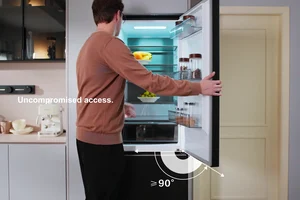
The image below is from an ONCE proprietary daily chemical product video, illustrating how packaging, hand movements, and background lighting work together to convey selling points. It does not imply that CGI modeling or rendering was used in this article's project.

The third point covers revisions and delivery.
Once animation and simulation begin, changing a product dimension may affect collisions, fluids, lighting, and rendering. Define model lock, material lock, shot lock, and platform version early to avoid resetting the review process each time.
- First, test materials and motion using a representative shot.
- Proceed to high-fidelity assets only after Boardmatic approval.
- Save simulation caches, lighting versions, and render settings together.
- Before delivery, verify product color, subtitles, details, and compression simultaneously.
Product CGI allows iterative revisions and multiple versions, but requires earlier upfront decisions. To split a product selling point into a hybrid CGI and live-action approach, start with the ONCE Project Brief portal to begin.
Reference Verification
- Research Seed 0803 What does it take to make a CGI cookie
- Blender Material System Overview
- Blender Rendering Manual