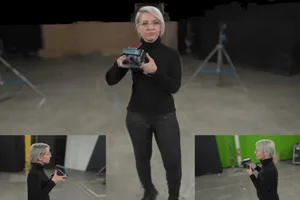
During the initiation phase, first clarify the task boundaries between voiceover and visuals.
In a corporate image film, the way executive voice-over and on-location footage are combined directly determines whether the final piece feels more like an internal report or external communications. When initiating the project, the brand side must answer three questions: first, who is this film for; second, what should the audience remember after watching it; and third, whether the executive's voice is suitable as the main narrative thread. Do not rush to write the script before these three questions have answers.
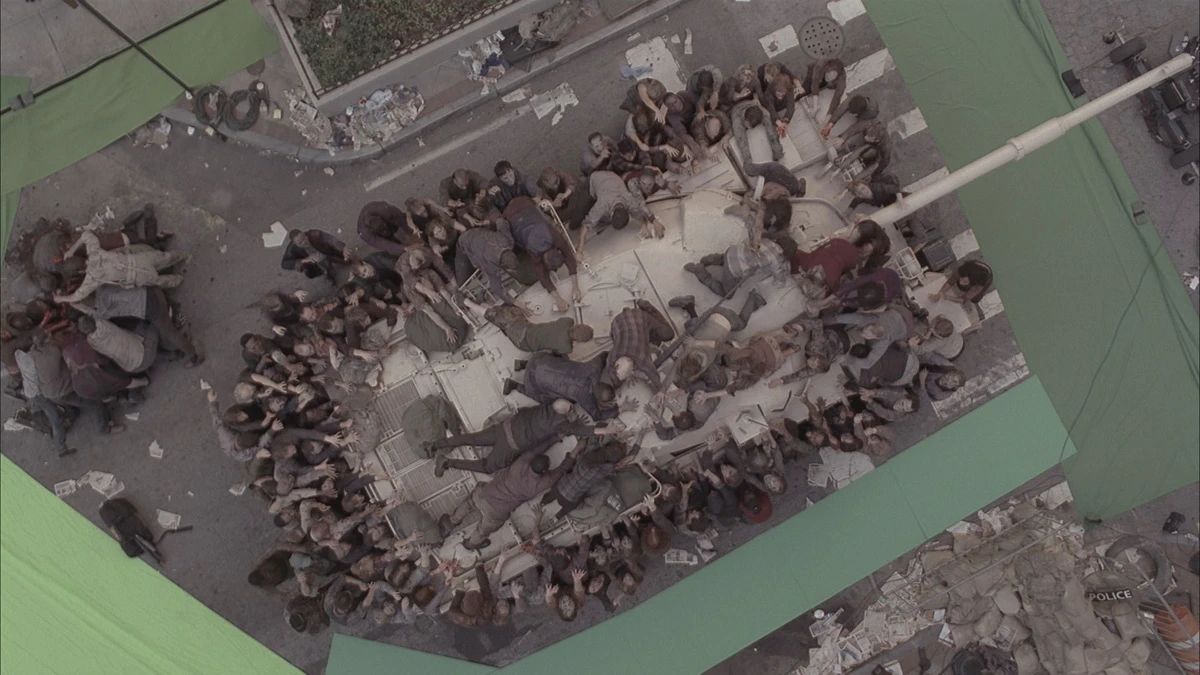
The voice-over provides the logical thread and emotional tone, while the on-location footage provides evidence and immersion. If the voice-over discusses strategic vision while the visuals show assembly-line operations, the audience will feel a disconnect. Conversely, if the visuals show an executive speaking in a conference room while the voice-over describes product specifications, the audience will lose attention. The brand side needs to write the intended visual for each voice-over segment in a comparison table, marking whether that segment explains, proves, expresses, or calls to action.
The criterion is that every narration segment should switch the visual information hierarchy after no more than three sentences—for example, cutting from a macro environment to a specific action, or from a person's expression to product details. If a narration segment goes more than twenty seconds without a visual change, the editor will be forced to use B-roll or repeated footage; this kind of risk should be avoided at the script stage.
The exception is when the executive has strong on-camera presence and the narration focuses mainly on personal experience; in that case, you can increase the executive's screen time appropriately, but still keep at least 30% of on-location footage as breathing room. If the executive has a heavy accent or unnatural delivery, we recommend using professional voice-over, with the executive appearing on camera but not reading the script.
At the project kickoff stage, the brand side should prepare a list of questions, including the executive's available shooting time, acceptable level of on-camera exposure, willingness to speak spontaneously on camera, and whether there is a fixed speaking style. The production team should use this to decide how to write the narration script—whether as a verbatim script or an outline, in written language or colloquial language.
When writing the script, place the narration and visuals on a single timeline.
The key is to write both side by side along a timeline. Each script line includes timecode, narration content, visual description, audio notes, and subtitle information. This way the director knows what to shoot for each shot, the editor knows which visuals to pair with each narration segment, and the brand team can quickly locate issues during review.
We recommend first defining the narration structure, then matching the visuals. The narration structure is usually divided into opening hook, problem statement, solution, value proposition, and call to action. Each section corresponds to different visual types: the opening is suited to environmental establishing shots or character close-ups, the problem statement to industry scenes or data charts, the solution to product operations or service workflows, the value proposition to client cases or team collaboration, and the call to action to brand logos or futuristic visuals.
On-site footage does not have to be shot live; it can be archival material, historical photos, screen recordings, 3D animation, or AIGC-generated content. However, the source and copyright of each type of material must be clearly marked at the script stage to avoid discovering later that the material is unavailable.
The risk is that the narration and visuals repeat the same information. For example, if the narration says, "We have an advanced production line," and the visuals show a full view of the production line, the audience will find it redundant. The correct approach is for the narration to provide abstract judgments and the visuals to provide concrete evidence: for example, if the narration says "efficiency improvement," the visuals show close-ups of workers operating and a timer.
The exception is when the brand requires "audio-visual synchronization," meaning the visuals show exactly what the narration describes. This style suits product demo videos, not image films. Image films need room for interpretation; there can be a slight mismatch between narration and visuals to create rhythm.
Before shooting, confirm the executives' on-camera performance and on-set blocking.
There are two ways to record executive voice-over: one is to record audio on set during filming, and the other is to record separately in a studio. The advantage of on-set sync recording is that the tone sounds natural and matches the emotion of the visuals, but the risk is that ambient noise, slips of the tongue, or forgotten lines can lead to retakes. The advantage of studio recording is that sound quality is controllable, but it can easily feel disconnected from the emotion of the visuals during post-production dubbing.
We recommend a hybrid approach: have the executive deliver the lines on set first, recording a reference track while filming the on-set footage. In post-production, use the reference track to judge pacing, then replace the final audio with the studio version. This preserves the on-set feel while ensuring sound quality.
On set, assign a director's assistant to prompt the executive. The prompt board should be placed to the side of the lens and kept out of frame. The prompt content should be concise—only key words, not full sentences—or the executive will end up reading a script.
On-set blocking should plan the executive's movement and camera positions in advance. If the executive will walk and talk, use a gimbal or dolly for tracking shots and allow enough safety distance. If the executive is seated at a desk, arrange desktop props to avoid a dull frame.
The rule of thumb is to cut to a different camera angle or shot size at least once every two minutes of the executive's speech, or the audience will lose interest. During filming, capture at least three shot sizes: a wide shot to establish the environment, a medium shot to show action, and a close-up to capture expression. In editing, use shot-size changes to create rhythm.
The risk is that executives may feel nervous on camera, leading to rapid speech or stiff expressions. The mitigation is to have an informal conversation between the executive and the director beforehand, record their natural state, and adjust the script tone based on that state.
On-location footage should be shot with camera work designed around the narrator's emotional tone.
The focus of on-location footage is to provide visual support for the narrator's emotional tone. When the narration is calm, the visuals should be stable and slow, using mostly static shots or slow pans. When the narration is intense, the visuals should be highly dynamic, using mostly handheld tracking or quick cuts.
Before shooting, create a shot list for each scene, including shot size, camera movement, duration, lighting, and character action. Each shot should clearly serve a specific line of narration; do not shoot a pile of footage and try to match it in post later.
For example, when the narration mentions 'team collaboration,' the visuals should show multiple people interacting, with dialogue, gestures, and shared actions. When the narration mentions 'technological innovation,' the visuals should show R&D equipment, code interfaces, and experimental processes. When the narration mentions 'customer trust,' the visuals should show handshakes with clients, signing ceremonies, and product delivery.
On-set footage should maintain unified lighting and color. Large color-temperature differences between scenes make post color grading difficult. We recommend using a gray card to correct white balance on set, or standardizing all indoor scenes to the same color-temperature lighting.
The exception is when the brand wants authenticity and accepts imperfect on-set lighting—this style works for documentary-style brand films. However, if the voice-over is a formal corporate statement, chaotic lighting will reduce credibility.
Assign a dedicated person on set to log each shot, including scene, characters, action, duration, and usability. A log sheet greatly improves footage retrieval during post.
Post-production must establish a sync between voice-over and visuals.
The first step in post-production is to organize the voice-over track. Split executive recordings into paragraphs and mark each paragraph's key term. Then build a rough visual cut based on the voice-over paragraphs—ignore image quality for now and just ensure every paragraph has matching footage.
After the rough cut is complete, move on to the fine cut, focusing on adjusting the alignment between narration and visuals. The key to alignment is matching emotion and information. For example, when the narration says 'we faced challenges,' the visuals can be overcast or backlit shots; when the narration says 'we achieved a breakthrough,' the visuals can be a sunrise or bright scenes.
The editing pace should follow the narration's speed and pauses. Cut more frequently when the speech is fast, and less frequently when it is slow. One to two seconds before each narration segment ends, the visuals should begin to change to create a transition to the next segment.
A risk is a conflict between the narration and the visual information. For example, if the narration says 'we focus on details' but the shot is a wide landscape, the audience cannot see the details. In this case, insert close-up shots or use subtitles to emphasize the details.
Post-production also involves handling the sound layers. The narration volume should be clear, the background music volume should be low, and the on-set ambient sound should be retained but not overdone. If the location audio quality is poor, it can be replaced with foley or ambient sound assets.
Color grading should unify the overall style without masking the authenticity of the on-set footage. It is recommended to start with basic correction, then apply stylized grading. If the narration conveys a warm corporate culture, the tones should lean warm. If the narration conveys a tech feel, the tones should lean cool.
The acceptance stage requires item-by-item verification of delivery standards for narration and visuals.
When the brand side accepts the deliverables, it should not rely solely on the overall feel of the final cut; it must check each item against the checklist. The first item is whether the narration content matches the script and whether any lines are missing or words have been changed. The second item is whether the narration audio is clear and whether there is noise, clipping, or unclear diction. The third item is whether the visuals cover all key scenes and whether anything is missing or repeated. The fourth item is whether the alignment between narration and visuals is reasonable and whether there is any obvious mismatch or emotional contradiction.
The acceptance checklist should include the following items: script files, storyboards, shooting logs, original narration recordings, editing project files, color-graded versions, mixed versions, subtitle files, master files, and source files. Each item must be confirmed for format and version to avoid losing original assets after delivery.
Subtitles should be accepted separately; check for typos, punctuation, and line breaks. Subtitle timing should sync with the narration and not appear earlier or later. If there are multilingual versions, confirm translation accuracy and cultural adaptation.
Master files must meet the publishing platform's requirements, but platform specs can change, so acceptance should follow the latest official requirements before release. We recommend outputting both an HD master and a compressed version to accommodate different channels.
The risk is that the brand side only looks at the final video and overlooks source-file delivery. If revisions are needed later, not having source files puts them in a very passive position. During acceptance, be sure to confirm that source files are complete, including all assets and project files.
The exception is when the brand side only purchases the copyright to the final video and does not require source files; this arrangement should be stated in the contract in advance. But even if source files are not required, keep a master copy of the final video and subtitle files.
Applicable boundaries and non-applicable conditions should be stated in advance.
The executive voice-over plus on-site footage format suits most corporate image videos, but some cases are not suitable. The first is when the executive is unwilling to appear on camera or record audio; then professional voice-over and pure visual storytelling must be used. The second is when the executive's delivery style conflicts with the brand tone—for example, the brand is youthful while the executive's tone is overly serious. The third is when the shooting schedule is extremely tight and there is no time to record high-quality voice-over; in this case, use a teleprompter or post-production dubbing.
If the brand needs a product demo or instructional video, the executive voice-over plus on-site footage structure may be too lengthy; it is better to directly demonstrate the operation steps. If the brand needs social media short videos, the pace of executive voice-over plus on-site footage may be too slow; fast-paced editing and title cards are more suitable.
The standard for determining suitability is the communication objective. If the goal is to build trust and emotional connection, executive voice-over plus on-site footage is effective. If the goal is to quickly convey information or drive action, a more direct expression may be needed.
The production team should clarify these boundaries during the proposal stage and should not promise to meet every demand just to win the project. The brand side should also understand that a corporate image film is not a universal tool; it suits long-term brand building, not short-term promotions.
If the project truly requires executive voice-over plus on-site footage but the executive's time is limited, it can be shot in two sessions—the first for the voice-over and the second for the footage—or through remote recording. However, remote recording requires attention to audio quality and latency issues.
Finally, it should be noted that the success of a corporate promotional video does not depend on a single shoot, but on the rigor of pre-production planning and post-production acceptance. The brand side and the production team must jointly maintain a clear process to avoid rework and misunderstandings.
The next step is to start with a shooting requirements brief.
If you are preparing a corporate promotional video project, we recommend writing a production brief first, covering project background, target audience, core message, reference video links, executive involvement, available shooting dates, budget range, and delivery platforms. The brief does not need to be perfect, but it should help the production team quickly understand your needs.
Then schedule a pre-production meeting, bring the brief and a few reference videos you like, and discuss the specific arrangement of narration and visuals. Don't ask for a quote right away; first confirm whether the production team understands your industry and tone.
During the discussion, clarify how much you want executives on camera—whether they appear throughout or only in parts, whether they read from a script or speak spontaneously. This decision directly affects shooting complexity and post-production workload.
Finally, confirm acceptance criteria, including final video length, number of versions, subtitle languages, and whether source files will be delivered. Put these in the contract to avoid later disputes.
A corporate promotional video is an investment, and it’s worth spending time on pre-production preparation. As long as the process is clear, the narration and visuals will work together naturally, and the final video will be more persuasive.
If you are preparing a corporate promotional video project, start by organizing the brief, reference visuals, product or company materials, delivery platforms, and copyright scope, then visitthe Corporate Promotional Video Service Pageto move the conversation from abstract preferences to actionable production boundaries.