Core Logic of Breaking Down Shot Status
In VFX projects, task completion and review approval are often recorded as the same status. As a result, although shots are delivered, feedback is not linked to specific versions. A more robust approach is to track tasks, versions, notes, and approvals separately, ensuring every status has a clear owner and next action.
State machine design must cover the entire pipeline from asset preparation to final delivery. Common stages include technical checks, internal reviews, client feedback, revisions, and final approval. Each stage should have a designated owner. For example, the Art Director confirms style during internal reviews, while producers or client representatives provide specific revision requests during client feedback. This separation ensures clear accountability and prevents rework caused by ambiguous communication.
Building Customized Workflow Hierarchies
Standard project management tools typically preset fixed hierarchies for sequences, shots, and tasks. However, business models vary significantly across production companies. Some projects focus on character animation, while others emphasize FX simulations. ftrack Workflows allows teams to customize hierarchy structures based on their own terminology and workflows. This means you can create data models that match your studio's practices instead of forcing adaptation to default tool settings.
Project structures can be adjusted to match team terminology, but the more fields added, the more critical it is to validate them with real shots first. Status names are just entry points; the key is whether they tell the team who is working on it, what the current version is, and which feedback is still pending.
Linking Review Records to Version Management
Reviews are not isolated actions; they must be tightly linked to specific shot versions. An effective review system should retain timecodes, annotation positions, and approval status. When artists view feedback, they see not only written comments but also visual anchors pointing to specific frames. This contextual linkage greatly reduces the potential for misunderstanding.

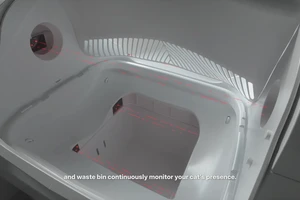
The image shows a frame capture from ONCE proprietary automotive content, illustrating that reviews and version records should center on specific shots. This image does not represent the ftrack or other project management platform interface. In practice, each submission should include clear metadata, including render parameters, asset versions used, and estimated completion time. This information forms the basis for future traceability. If issues arise in the final deliverable, the team can refer back to detailed records of any historical version.
Validation and Scaling Strategy for Small Teams
For small teams with limited resources, fully deploying a complex management system upfront may be too costly. It is recommended to pilot ten representative real-world shots first. These shots should cover varying levels of difficulty and production stages. By running a complete status workflow, the team can identify bottlenecks and inefficiencies in the process.
- Select shots featuring main characters and environments as test samples.
- Ensure each status has clear acceptance criteria and handoff documentation.
- Gather participant feedback during the trial to optimize field configurations.
- Verify that access controls meet data security requirements.
After a successful pilot, scale this validated workflow across the entire project. This approach reduces trial-and-error costs and helps team members adopt new management practices more easily. A phased rollout fosters strong collaboration habits.