The key to multilingual on-screen text is project structure.
In overseas product demonstration videos, on-screen text often carries core information. Whether it is a software interface, a data dashboard, or operational steps, the audience relies on this text to understand the product's value. When the target market covers multiple language regions, the management of on-screen text directly impacts the final video quality, delivery timeline, and post-production revision costs.

Many teams treat multilingual on-screen text as a translation task, only engaging language service providers after shooting is complete. This approach easily leads to unbalanced framing, inconsistent font styles, text exceeding safe areas, and even reshoots. A truly effective management method is to incorporate language versions into the overall production plan during the initiation phase, advancing them in sync with the script, storyboard, shooting, and post-production.
Brands must establish a core criterion: whether on-screen text is the main subject of the demonstration. If the text is part of the product's functionality, such as a software interface, each language version requires independent shooting or high-quality compositing. If the text is merely supplementary, such as titles or annotations, it can be replaced in post-production. This decision determines the project budget, timeline, and team allocation.
Determine language versions and text hierarchy during the project initiation phase.
At the project kickoff meeting, the brand should provide a list of target markets and the language requirements for each market. Avoid vague terms like "global market" and be specific to countries or regions, as the same language may have spelling and vocabulary differences across regions. For example, Spanish must distinguish between European Spanish and Latin American Spanish, and French must distinguish between French French and Canadian French.
Based on the language list, the production team must evaluate the proportion and placement of on-screen text. It is recommended to create a text hierarchy chart that categorizes on-screen text into three levels. The first level is core product information, such as feature names and data values, which must be accurate and prominent. The second level is operational guidance, such as button labels and prompts, which must be clear and readable. The third level is decorative or background text, such as watermarks and sample data, which can be appropriately minimized or replaced.
The brand should provide original interface files or high-fidelity design drafts, including screenshots of all screen states. If the product is a physical device, the display content of the device screen must be provided. These materials form the basis for the production team to determine text replaceability. Meanwhile, the brand must confirm the final copy for each language to avoid frequent modifications during post-production.
A risk arises when some brands only provide English copy at project initiation, expecting the production team to handle the translation. This leads to uncontrollable language quality, and different translated versions may vary significantly in length, affecting the screen layout. It is recommended that brands finalize the copy for all languages in advance and authorize the production team to coordinate with professional translation agencies.
Reserve safe areas for multilingual text during the shooting phase.
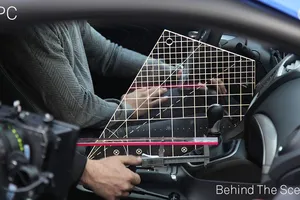
If the product demonstration requires shooting a physical screen, the videographer must reserve safe areas for the text. Key text on the screen should be positioned slightly above the center of the frame to avoid being obscured or cropped. It is recommended to use a monitor to check the composition in real time, ensuring that the text for all language versions can be displayed completely.
Two strategies can be adopted during shooting. The first is to shoot a clean screen without text and then composite the text in post-production. This method requires the screen itself to support turning off text display, or the use of green screen technology. The second is to shoot the screen with native language text and then replace it in post-production. This method is suitable for scenes where the text position is fixed and the background is simple.
For shots requiring text replacement in post-production, pay attention to screen reflections and glare during shooting. It is recommended to use a polarizing filter to reduce reflections and control lighting angles. At the same time, maintain uniform screen brightness to avoid bright spots or dark corners; otherwise, the text edges will look unnatural during post-production compositing.
The production team should note the text status of each screen shot in the storyboard, including original text, replacement text, and hidden text. This allows the shooting team to execute according to plan, and the post-production team to clearly know which shots need processing. If a shot involves complex finger operations or dynamic interfaces, it is recommended to record the screen content simultaneously during shooting as a reference for post-production compositing.
Manage multilingual versions with layered compositing in post-production.
Post-production is the core stage for managing multilingual on-screen text. It is recommended to adopt a layered compositing workflow to separate on-screen text from the background footage. Specifically, create independent text tracks in the editing software, with each language corresponding to a track group. This way, when switching languages, you only need to replace the text track without re-rendering the entire video.
For dynamic screen content, such as scrolling pages or animated charts, text positions must be matched frame by frame. Tracking software can be used to bind text to screen areas, ensuring the text moves with the footage. If the screen content itself is dynamically generated, such as data visualizations, it is recommended to generate the text in a data-driven manner rather than drawing it frame by frame.
Font selection is another key point. Character sets vary greatly across different languages; for example, Chinese requires Chinese fonts, and Arabic requires right-to-left alignment. The brand should provide font licensing files for each language and ensure the fonts display correctly on target devices. The production team needs to test text length and line breaks to avoid text overflowing the screen or obscuring key elements.
The post-production team should output preview videos for each language version for the brand to review. During the review, attention should be paid to whether the text is accurate, the positioning is appropriate, and the contrast with the background is sufficient. It is recommended that the brand invite native speakers to participate in the review, as non-native speakers can easily miss grammatical or cultural errors.
The acceptance checklist must cover text accuracy, readability, and consistency.
Upon delivery and acceptance, the brand should use a standardized checklist to verify the multilingual on-screen text item by item. The checklist should include the following items.
- Whether the text content is completely consistent with the final copy, including punctuation and capitalization.
- Whether the text position is within the safe area and does not obscure key visual elements of the product.
- Whether the text size is suitable for the target screen dimensions, such as the differences between vertical mobile screens and horizontal TV screens.
- Whether the contrast between the text color and the background meets readability requirements, especially in low-light scenarios.
- Whether the fonts are consistent, and if the correct font weights and styles are used.
- Whether the dynamic text is smooth, without dropped frames or jitter.
- Whether the timelines of all language versions are consistent, and if the visuals are synchronized when switching languages.
During acceptance, it is recommended to use a split-screen comparison method, playing different language versions side by side to check visual consistency. At the same time, export an independent master for each language version and retain the project files for future modifications. The brand should require the production team to provide text track files, so that the text can be quickly updated even if the production team is changed.
Deliverables should include the final video files, subtitle files, font files, project files, and modification notes. If the video is used for multiple platforms, such as the official website and social media, the corresponding formats must be exported separately. Platform specifications may change at any time, so it is recommended to follow the latest official requirements prior to publication.
Applicable Boundaries and Inapplicable Situations
The multilingual on-screen text management method is suitable for most product demonstration videos, but there are some inapplicable situations. If the product demonstration relies entirely on voiceover and has very little on-screen text, then only the subtitles need to be processed, without complex compositing work. If the product is a physical device with a non-replaceable screen, such as an old-fashioned dashboard, then it can only be handled by masking during filming or partial replacement in post-production, and the effect may be limited.
For real-time demonstrations or live broadcast scenarios, multilingual on-screen text cannot be processed in post-production, and a multi-camera or multi-device solution must be used during filming. For example, filming screens in different languages simultaneously, or using a real-time subtitle system. In this case, pre-production preparation and on-site coordination are more important than post-production.
If the brand has a limited budget and the target market involves only one or two languages, a full compositing workflow may not be necessary. This can be simplified by using a clean screen during filming and overlaying text in post-production. However, this method requires ensuring that the screen content can be completely turned off and that the filming environment is controllable.
Another boundary is that if the product interface itself changes dynamically, such as updating in real time after a user inputs data, post-production compositing cannot cover all possible states. In this case, it is recommended to use screen recording with post-production voiceover instead of filming a physical screen.
Next Steps
Before launching an overseas brand video project, it is recommended that the brand first finalize the target market language list and copy, and prepare the original interface files. Then, communicate with the production team about text hierarchy and filming plans to determine if post-production compositing is needed. If the project involves multilingual on-screen text, try to choose a production team with relevant experience, and clearly define the acceptance criteria and deliverables list in the contract.
The ONCE website publicly states that its services cover corporate promotional videos, brand promotional videos, TVC commercials, product videos, overseas marketing videos, social media short videos, and AIGC video production. If your project requires professional overseas video production support, you can contact the ONCE team for preliminary consultation. However, please note that specific client cases, quotes, and timelines must be confirmed individually based on project requirements.
If you are preparing an overseas brand video project, you can first organize your brief, reference visuals, product or corporate materials, delivery platforms, and copyright scope, and then view theOverseas Marketing Video Services pageto ground the communication from abstract preferences to executable production boundaries.