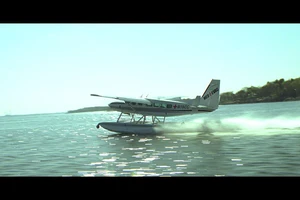
During the project initiation phase, first define which shots must be filmed live and which can be handed over to AI for outpainting.
When brands launch AIGC commercial projects, the most common mistake is letting AI run wild and treating live-action footage as a dispensable base layer. In reality, AI outpainting relies on live-action footage to provide stable structure, lighting, and perspective; otherwise, the generated results will lose physical credibility. During project initiation, the production team and the brand should jointly create three lists: rigid elements that must be filmed live, such as product appearance, brand logos, and core character facial features; flexible elements that can be expanded by AI, such as background environments, dynamic particles, and scene extensions; and compliance elements where AI intervention is strictly prohibited, such as copy involving legal clauses, real data charts, and specific numbers in medical or financial scenarios. Once the list is finalized, write it into the project memo as a shared basis for shooting and post-production acceptance.
The standard for judgment is that any detail the audience will directly verify against the physical object must be filmed live. Anything related to atmosphere, emotion, or spatial extension can be handed over to AI for outpainting. The risk is that if a brand hands over the material texture, reflective properties, or tiny text on the packaging to AI generation, the AI is highly likely to hallucinate, producing distorted fonts or incorrect reflections. Therefore, it is recommended to use a one-page spreadsheet during project initiation to list the live-action scope, AI outpainting scope, and the handover points between the two for each shot. The handover points must be specific to a coordinate area in the frame, such as the exact pixel position where the background wall behind the left side of the product is handed over to AI processing. Projects without defined handover points will fall into a quagmire of endless revisions during post-production.
The composition of live-action footage must reserve a safe zone for AI outpainting.
When shooting, cinematographers must not only consider the completeness of traditional composition but also leave a safe zone for AI outpainting. The safe zone refers to the blank areas at the edges of the frame or behind the subject, which will be filled or replaced by AI in post-production. If the subject fills the entire frame during live-action shooting, there will not be enough space for the AI to generate a naturally connected background during outpainting, which can easily cause edge tearing or perspective distortion. In terms of specific operations, it is recommended to let the subject occupy 60 to 70 percent of the frame area during live-action composition, keeping the rest as a relatively uniform texture or gradient background, such as the sky, a wall, a water surface, or a blurred depth of field. This way, the AI can reasonably extrapolate based on existing color and brightness information during outpainting.
Another key action is to record the camera's movement trajectory in the live-action footage. If the camera pans, tilts, dollies, or trucks, the AI outpainting must match the same movement parameters; otherwise, the generated image will shift relative to the live-action portion. Therefore, use a motion control system during shooting, or at least record the speed, direction, and amplitude of the gimbal's movement. For handheld shots, try to keep the camera as stable as possible, or apply stabilization in post-production before handing it over for AI outpainting. The risk is that if the live-action footage itself has camera shake, the AI outpainted area will shake along with it, but the generated content might not shake in sync, leading to a visual "jello effect." It is recommended to use a monitor on set to check the cleanliness of the safe zone in real time, ensuring there are no messy objects, cables, or crew members breaking the shot.
Lighting and color information are the invisible anchors for AI outpainting.
When outpainting an image, AI relies most heavily on the lighting direction and color temperature data from the live-action footage. If the main light source in the live-action footage comes from the left, the AI-generated outpainted area must also maintain a left-side light source; otherwise, the shadow directions will contradict each other, and the audience will immediately feel it is unrealistic. Therefore, a lighting plot must be recorded for every shot during filming, including the position and intensity of the key light, fill light, and rim light. For natural light scenes, the shooting time and weather must be recorded, as the sun's angle and color temperature change over time. When the post-production team receives the footage, they should first use a color checker or gray card for white balance correction to ensure a unified color baseline for AI generation.
The specific action is to place a standard color checker and grayscale card on set, shooting them at least once at the beginning and once at the end of each scene. This allows post-production to accurately restore colors and provides reference values for AI outpainting. The standard for judgment is that the shadow details and highlight gradations of the live-action footage must retain enough information; do not crush the blacks or blow out the highlights excessively, or the AI will be unable to extract valid textures during outpainting. The risk is that if the live-action footage has too much noise, the AI-generated area will be relatively clean, and a difference in image quality will appear after the two are stitched together. Therefore, it is recommended to use a higher ISO in low-light environments combined with post-production noise reduction, or directly use a camera with dual native ISO, ensuring the noise level of the live-action footage is close to that of the AI-generated content. If noise cannot be controlled, film grain or noise texture must be added uniformly in post-production to make the overall image cohesive.
Shooting scripts must design replaceable visual elements for AI outpainting.
Traditional storyboards are fixed, but scripts for AIGC commercials need to be designed with a modular structure. In each shot, which elements are live-action and which are replaceable by AI must be marked with different colors on the storyboard. For example, in a product showcase shot, the product itself is live-action, but the city skyline in the background can be marked as an AI replacement area. This way, during shooting, the actors and the product only need to perform according to the live-action portion, and the AI outpainting area does not require actual set construction, saving costs. However, note that the AI replacement area cannot contain elements that directly interact with the brand or product; for instance, the position where a person's finger touches the product must be shot live, otherwise the AI-generated hand movements may look unnatural.
Another design principle is to reserve a "transition layer" for AI outpainting. The transition layer refers to the intermediate zone between the live-action subject and the AI outpainted background, such as shadows on the ground, reflections on glass, or dust in the air. Try to retain these elements during live-action shooting, as they help the AI understand spatial relationships. If there is no transition layer during live-action shooting, the AI-generated background will look like a sticker floating behind the subject. Therefore, some translucent objects, such as sheer curtains, glass panels, or smoke, can be placed in the foreground during shooting; these elements can enhance the blending of the AI outpainting in post-production. The standard for judgment is that the light and shadow variations and the focus blur of the transition layer must be consistent with the live-action subject.
In the post-production workflow, lock the live-action layer first, and then let the AI outpainting layer adapt to it.
In post-production, the production team should first complete the editing, color grading, and basic compositing of the live-action footage, locking the final frames of the live-action layer before initiating AI extension. This sequence is crucial because if AI extension is done first and the edit points of the live-action portion are changed later, the extended areas must be regenerated, wasting time and computing power. The specific workflow is as follows: first, the editor determines the start and end frames and duration of each shot; second, the colorist performs primary color grading on the live-action footage to unify brightness, contrast, and color temperature; third, the compositor pre-composites the live-action layer with the AI extension layer to check edge transitions; fourth, based on the AI extension results, the color grading of the live-action layer is fine-tuned to blend the two.
When selecting AI extension tools, it is recommended to adopt different strategies based on the scope of the extension. For large-scale background replacement, diffusion models can be used for generation; for local detail repair, image inpainting tools can be used. However, regardless of the tool used, the original files of the live-action layer must be retained to allow for rollback if the AI generation results are unsatisfactory. The risk is that AI-generated content may contain uncontrollable artifacts, such as distorted lines, extraneous objects, or illogical reflections. Therefore, the post-production team needs to establish an "AI generation version management" mechanism, generating at least three versions for each extended area for the director and the brand to choose from jointly. During acceptance, the extended areas and the live-action layer must be checked frame by frame to ensure unified edges, consistent colors, and matched motion.
The acceptance checklist must separate live-action quality from AI-generated quality.
When accepting an AIGC commercial, the brand should not look at the "overall effect" in a generalized way, but should split the acceptance criteria into two parts: live-action quality and AI-generated quality. Acceptance of live-action quality includes whether the image is clear, the exposure is correct, the focus is accurate, the audio is clean, and the actors' performances are on point. Acceptance of AI-generated quality includes whether the extended areas blend seamlessly with the live-action layer, whether the colors are unified, whether the perspective is reasonable, whether the motion is natural, and whether there are obvious artifacts. It is recommended to create an acceptance form listing the above sub-items for each shot, to be scored item by item by the brand and the production team. A shot is only considered qualified if all sub-items meet the "pass" standard.
Another important acceptance item is copyright ownership. The copyright of live-action footage belongs to the production company or the brand, but the copyright of AI-generated content may vary depending on the tool and platform. The brand must clearly stipulate in the contract whether the copyright of the AI-generated portion is fully transferred and whether it is permitted for use in other channels. At the same time, it is necessary to check whether the AI-generated content contains third-party copyrighted elements, such as recognizable trademarks, artworks, or portraits in the generated background. If they appear, they must be replaced immediately or authorized. The risk is that AI-generated content may inadvertently replicate protected elements from the training data, for which the brand would bear legal responsibility. Therefore, it is recommended to use reverse image search tools during acceptance to check the copyright of key AI-generated frames.
Inapplicable Scenarios and Boundary Conditions
The method of reserving boundaries in live-action footage for AI extension is not suitable for all projects. The following situations require caution or abandonment of its use: first, the product's appearance highly relies on precise physical properties, such as medical devices, precision instruments, or jewelry, where reflections, refractions, and textures must be realistic, and AI extension is prone to deviations. Second, the brand has strict legal requirements for image authenticity, such as the display of product ingredients in food commercials or efficacy claims in pharmaceutical commercials, where AI-generated content may be deemed false advertising. Third, the shooting environment is extremely complex, such as outdoor locations with many moving objects or uncontrollable lighting, where the live-action footage itself is unstable and difficult for AI extension to match. Fourth, the project timeline is extremely short and the budget is limited; AI extension requires multiple iterations, and if time is insufficient, it will actually delay delivery.
In these cases, it is recommended that the brand choose either pure live-action or pure AI generation, rather than a hybrid approach. Pure live-action can guarantee authenticity, and pure AI generation can completely control the style, but the hybrid model requires a high level of collaboration between both teams. The criterion for judgment is that if more than 30% of the frames in the live-action footage require AI extension, and the extended areas involve interaction with the main subject, the risk of project failure will increase significantly. At this point, the creative direction should be re-evaluated, or the live-action budget should be increased to reduce reliance on AI. An exception is if the brand simply wants to use AI for basic background replacement or stylized filters that do not involve the edges of the main subject; in this case, the risk is lower and it can be attempted.
Next Steps
Before launching an AIGC commercial project, it is recommended that the brand first prepare a detailed live-action footage list, including the live-action scope, AI extension scope, transition points, lighting logs, and copyright requirements for each shot. At the same time, conduct a small-scale test shoot with the production team, using a 15-second clip to verify the feasibility of the AI extension. During testing, focus on edge transitions, color consistency, and motion matching. Proceeding to the official shoot after passing the test can significantly reduce the risk of rework. If the test results are unsatisfactory, adjust the plan promptly or consider a pure live-action approach. Remember, AI extension is a tool, not the goal; the quality of the live-action footage determines the upper limit of the AI extension.
If you are preparing an AIGC commercial project, you can first organize the brief, reference visuals, product or company materials, delivery platforms, and copyright scope, and then view theAIGC video services pageto ground the communication from abstract preferences to executable production boundaries.